Price terms as published
Each line is the vendor’s own wording, split from the price capture checked on 2026-10-20. Nothing here is rounded, converted or re-worded — the full sentences stay in the review below. Lines that carry only a price continue the plan named on the line above, in the vendor’s own order.
| # | Plan / term | Checked |
|---|---|---|
| 1 | 7-day trial for $0 | 2026-10-20 |
| 2 | Claude $6.99 one-time (1 device) | 2026-10-20 |
| 3 | Bundle $14.99 one-time (Codex, Claude and Cursor | 2026-10-20 |
| 4 | 1 device) | 2026-10-20 |
| 5 | Pro $59 one-time (every tool, up to 5 devices) | 2026-10-20 |
| 6 | Pro yearly $24/yr (first year $17.01 with a credit) | 2026-10-20 |
| 7 | 14-day refund | 2026-10-20 |
| 8 | posted prices rise Nov 1 to Solo $8.99, Bundle $19.99, Lifetime $79 | 2026-10-20 |
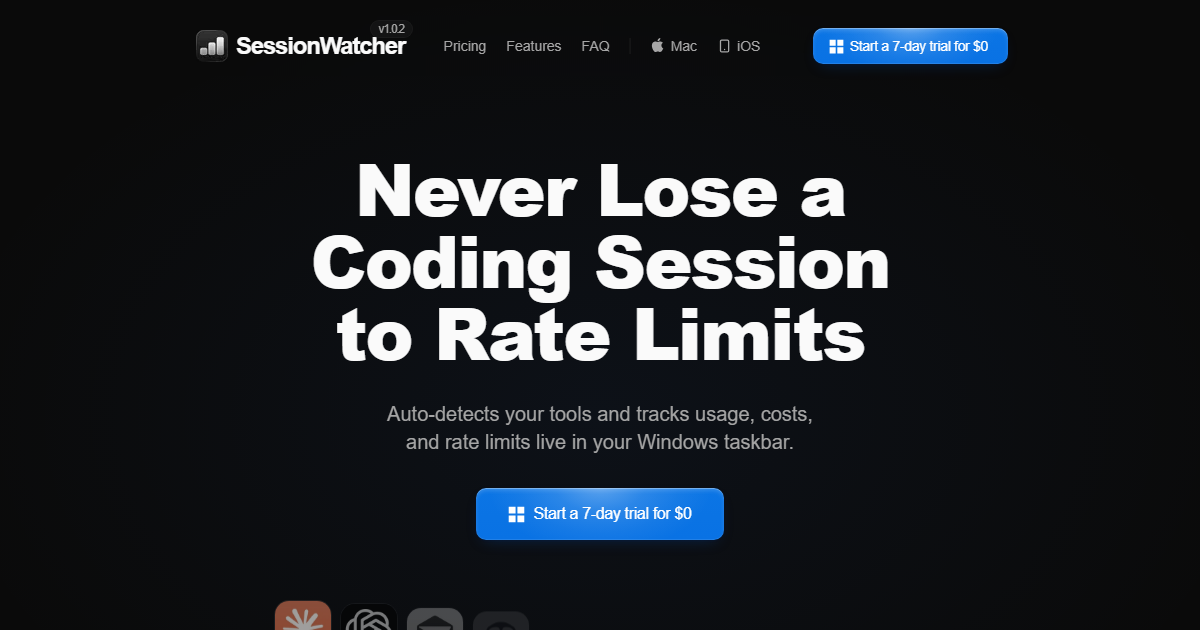
One-liner: SessionWatcher is a native macOS (and Windows) menu-bar app that auto-detects the AI coding tools on the machine and displays their live usage, rate-limit reset times and token cost.
Verified facts (checked 2026-09-28, official site)
| Attribute | Value |
|---|---|
| Platforms | macOS 14+ (Apple Silicon/Intel, signed, notarized); Windows 11 and 10 (2004+), x64/ARM64 |
| Data source | Read-only from usage data the coding tools already keep locally; no API keys, no vendor login |
| Coverage (Solo) | One tool, 1 device — $6.99 one-time |
| Coverage (Bundle) | Codex, Claude and Cursor — $14.99 one-time |
| Coverage (Pro) | Every supported tool, up to 5 devices — $24/yr (also a one-time licence option listed) |
| Teams | $40/seat/yr, 3-seat minimum |
| Refresh | Background refresh every 90 seconds plus instant on open |
| Refund | 14-day money-back guarantee |
| Stated traction | “1,517+ users” on the site (2026-10-20 check) |
| Builder | Soren Starck ([email protected]) |
What it tracks
- 5-hour, weekly and other rolling usage limits per tool, with reset times.
- Usage-rate charts and token/cost breakdown, plus optional cost estimates (the site notes its API-equivalent estimate is not actual subscription spend).
- Multi-account tracking for Claude and Codex on Pro, with each account’s windows shown separately.
Who it is for
Heavy users of Codex, Claude Code and similar CLI agents who want the current limit visible without opening a usage page or running a command, and who use several of these tools on one machine.
This page is compiled from official-site information only; it is not a hands-on test of the app.
What the official site showed on 2026-10-16
On 2026-10-16 the site advertised version 7.5.3 and states the problem it solves in one line: “Never Lose a Coding Session to Rate Limits”. Mechanically it auto-detects your tools and tracks usage, costs and rate limits live, in a macOS menu bar or Windows taskbar.
Pricing and platform as published on 2026-10-16
| Item | Published value (2026-10-16) |
|---|---|
| Price | from $6.99, or a free 7-day trial |
| Platforms in the site’s own nav | macOS · Windows · iOS |
| Version shown | 7.5.3 |
| Social proof shown | “Trusted by 1,517+ users” (2026-10-20) |
| Testimonial attribution | first-name handles and X handles (e.g. @nicojerome) |
The $6.99 figure is presented as a starting price (“from”), so treat it as the entry tier and confirm what the higher tier includes before you compare it with anything else — this entry’s frontmatter price range and its check date remain the authority for what we have verified.
Tool coverage — the list the site publishes
Claude · Codex · Cursor · Copilot · Gemini CLI · Antigravity · OpenCode · Kimi · DeepSeek · Grok · Grok Bot · Qwen · Z.ai · OpenRouter · Fireworks AI · Devin · Synthetic · TypeSafe AI · Mistral · Command Code.
Twenty entries, and the mix is the point: closed assistants, open CLIs, and gateway providers (OpenRouter, Fireworks) sit side by side. A tracker that spans both first-party tools and gateways is the useful kind, because the limit you are about to hit is often on the gateway rather than in the app.
What the interface actually displays
The homepage screenshot strip shows the menu-bar state directly: a CLAUDE 42% · resets 2:48 line, a CODEX 11% · resets 4:48 line, a Copilot 64% Over rate warning, and an “On pace” indicator. In other words the product shows three things at once — how much of the window you have used, when the window resets, and whether you are ahead of or behind a normal pace — which is exactly the decision you make before starting a long-running task.
Reading the testimonials honestly: the quotes on the homepage (“It paid for itself”, “The developer is very supportive”, “Not vibe-coded or overengineered”) are vendor-selected marketing copy attributed to users, not independent reviews. We have not installed SessionWatcher, so the performance claims — auto-detection reliability, accuracy of the cost figures, CPU overhead in the menu bar — remain the vendor’s.